主题
Wefly B737 CDU Setup Guide
Compatible Model List
MSFS2020:
- PMDG 737 NGX
- PMDG 777 NGX
MSFS2024:
- PMDG 737 NGX
- PMDG 777 NGX
X-Plane:
- Zibo B737
Prepar3D:
- PMDG 737 NGX
- PMDG 777 NGX
Install WeSim
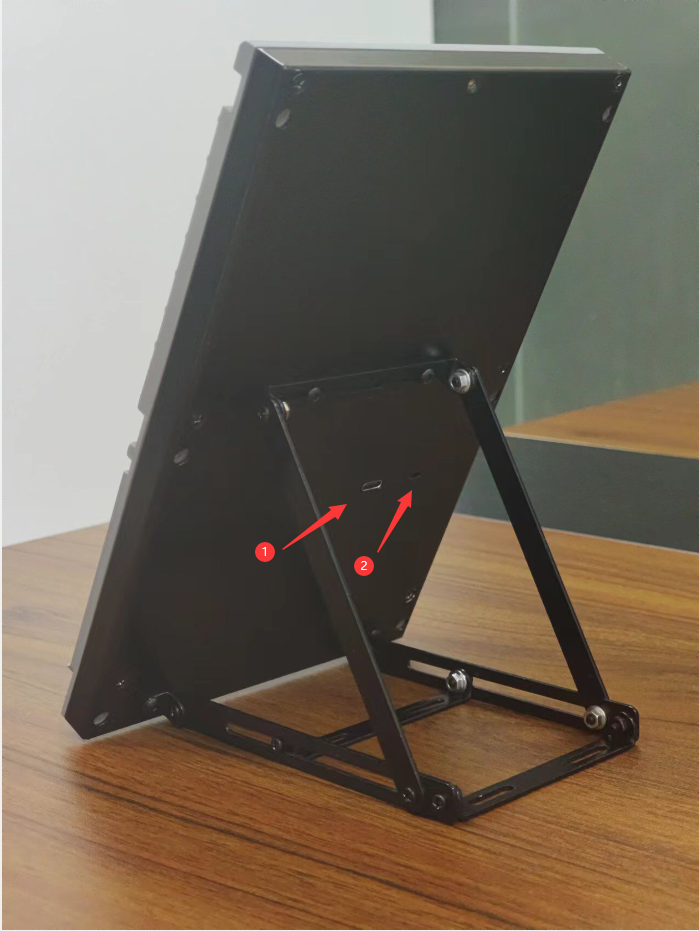
Connect the cable
As shown in the figure: (1) type-C interface (2) CPT/FO selector
Toggle the selector to the left, reinsert the USB cable, and launch the WeSim software WeSim is shown below 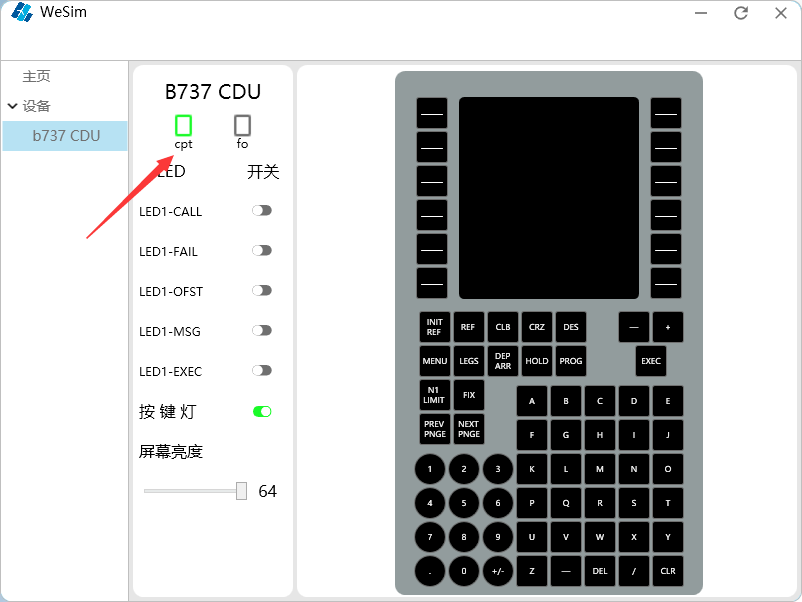
Toggle the selector to the right, reinsert the USB cable WeSim is shown below 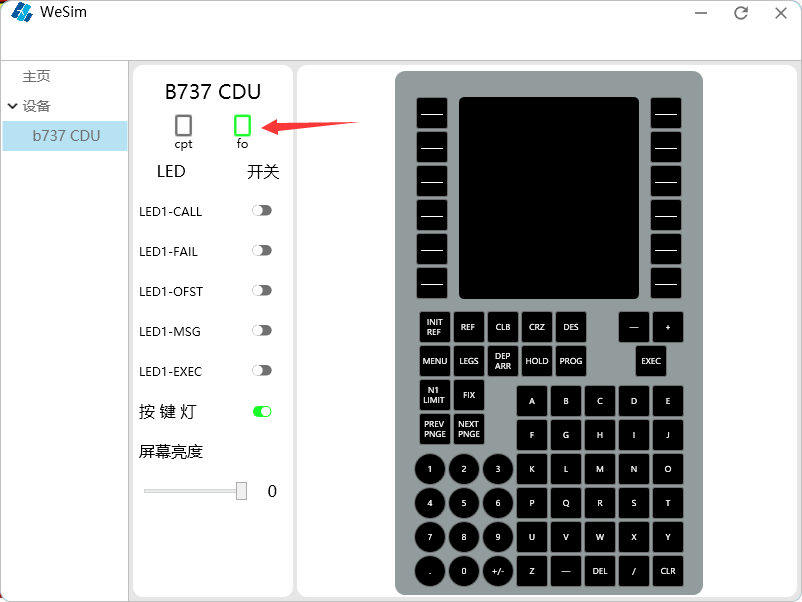
Simulation Software Setup
MSFS2020
compatible model:
- PMDG 737 NGX
copy the configure code
[SDK]
EnableDataBroadcast=1
EnableCDUBroadcast.0=1
EnableCDUBroadcast.1=1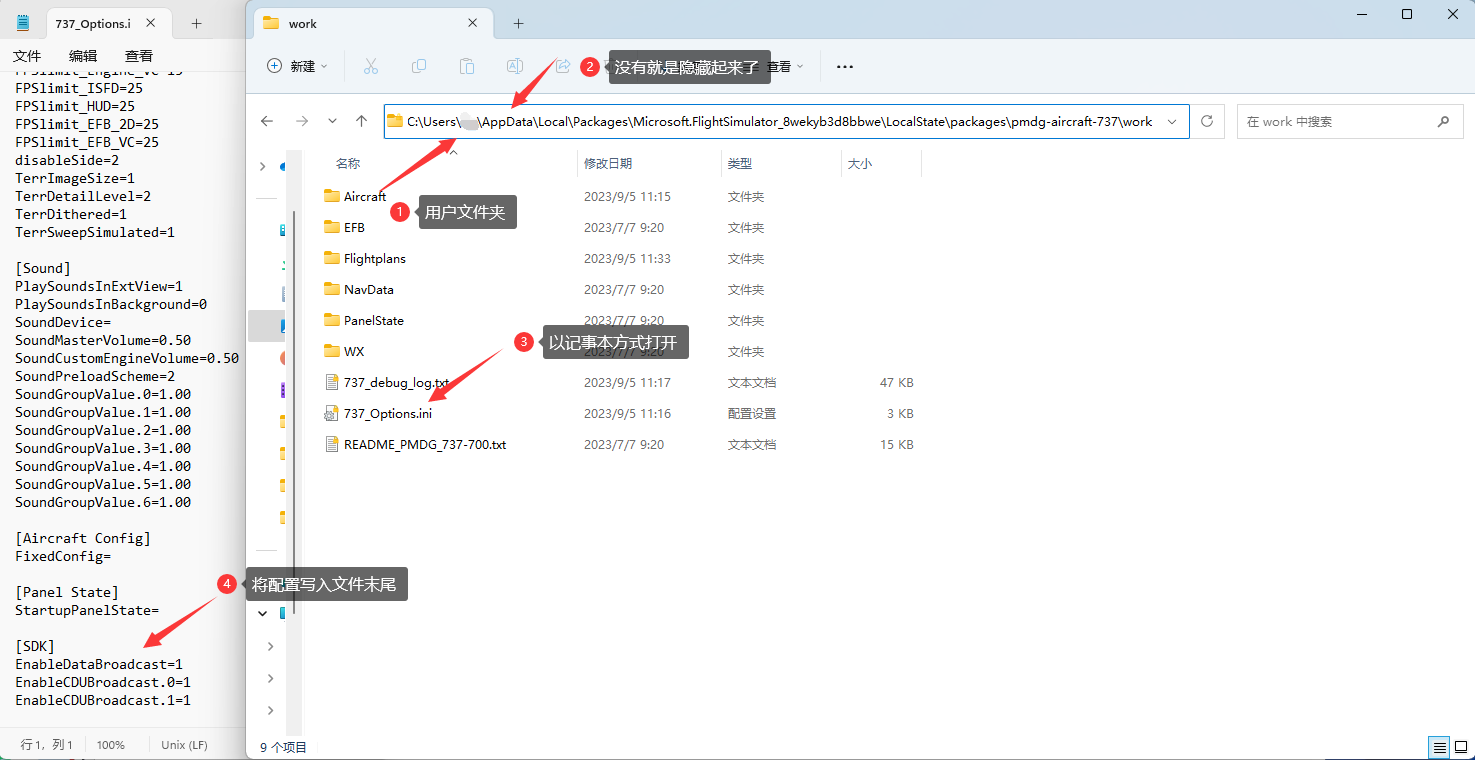
- PMDG 777 NGX
copy the configure code
[SDK]
EnableDataBroadcast=1
EnableCDUBroadcast.0=1
EnableCDUBroadcast.1=1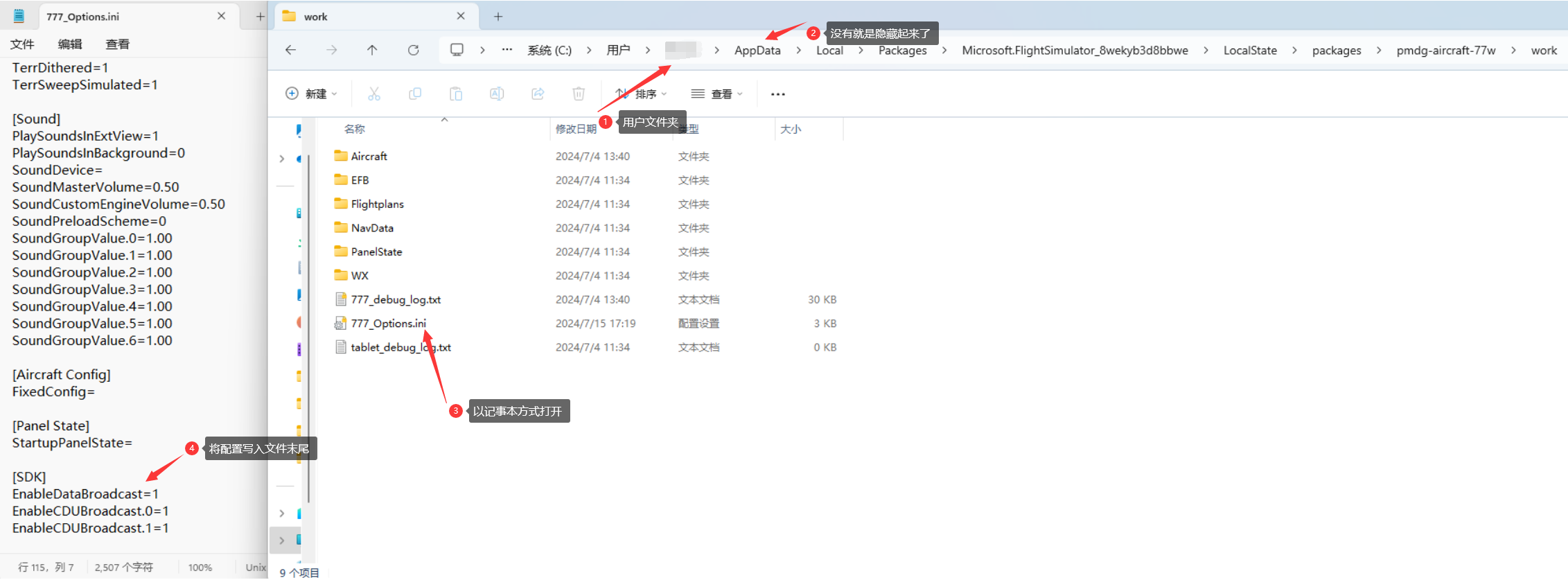
MSFS2024
compatible model:
- PMDG 737 NGX
copy the configure code
[SDK]
EnableDataBroadcast=1
EnableCDUBroadcast.0=1
EnableCDUBroadcast.1=1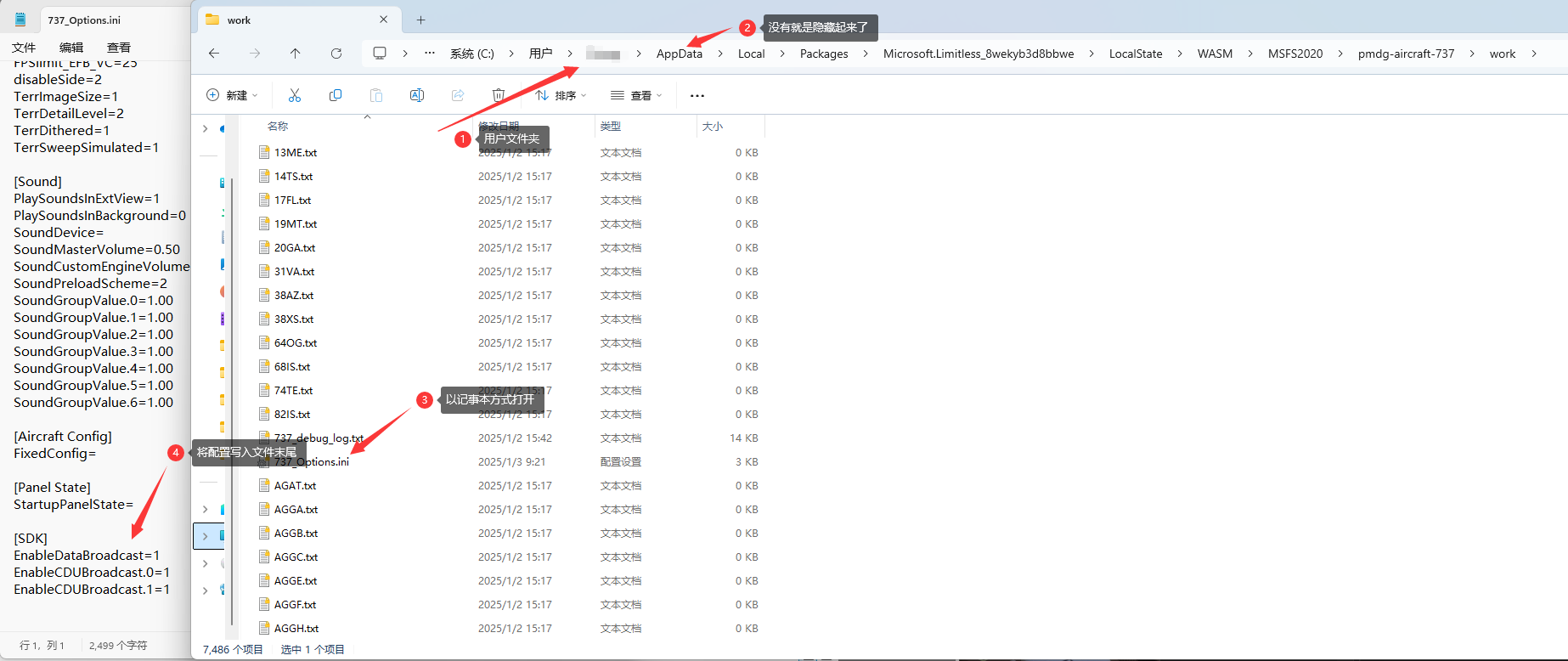
- PMDG 777 NGX
copy the configure code
[SDK]
EnableDataBroadcast=1
EnableCDUBroadcast.0=1
EnableCDUBroadcast.1=1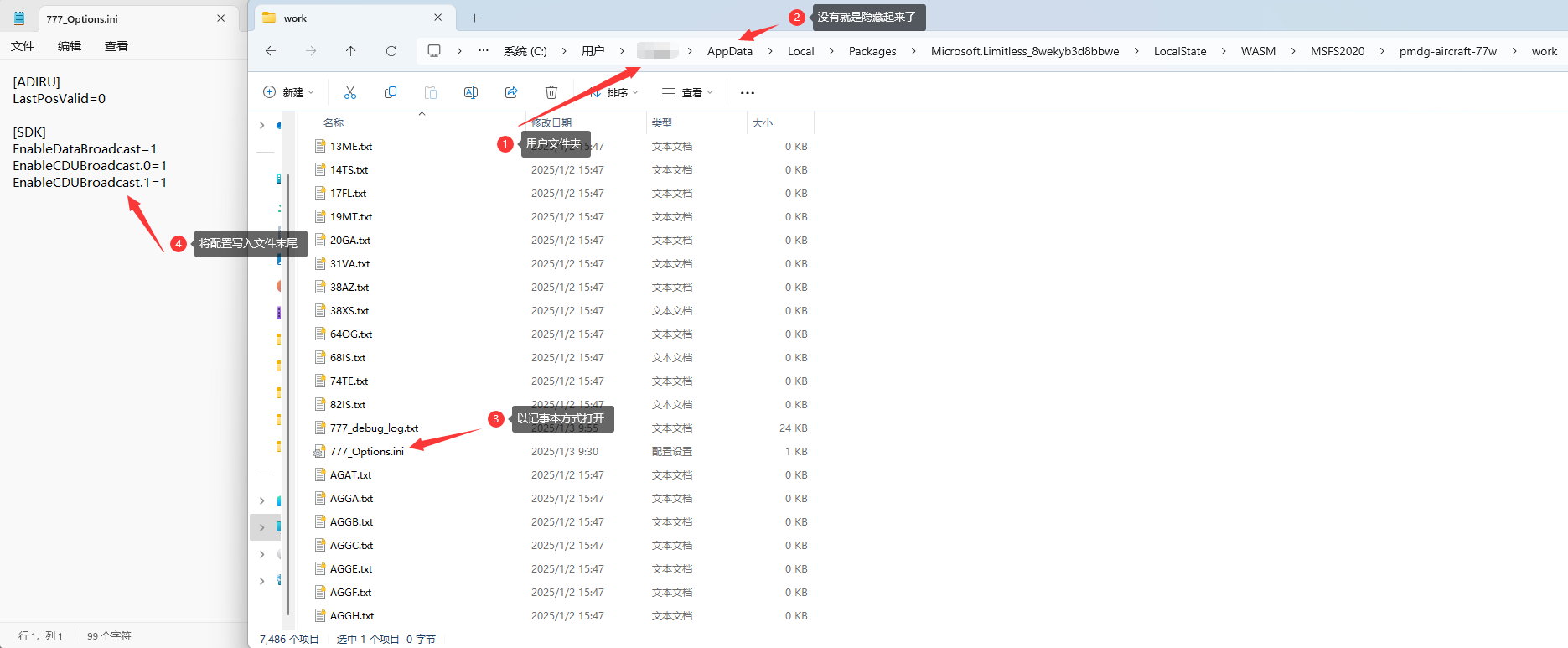
X-Plane
compatible model:Zibo B737 WeflyXP Plugin install,choose one of two ways
Automate installation
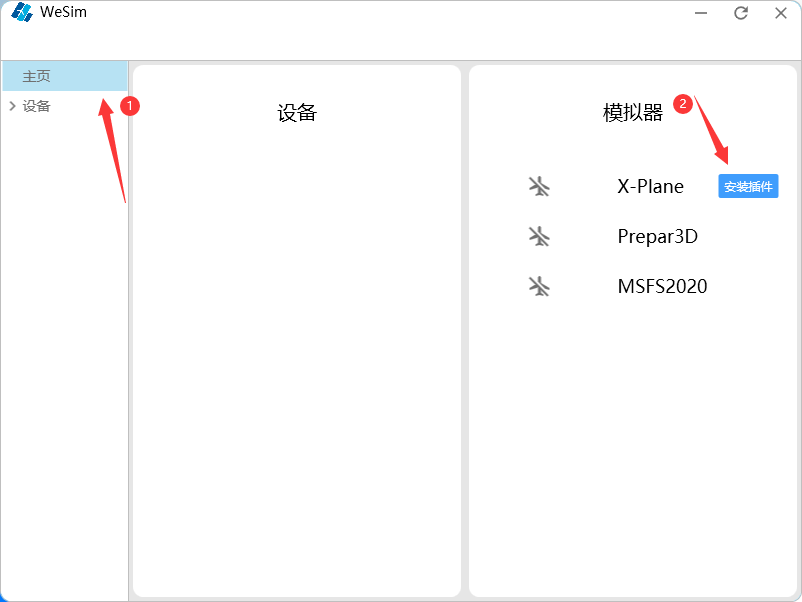
Run WeSim.exe,click “install plugin”
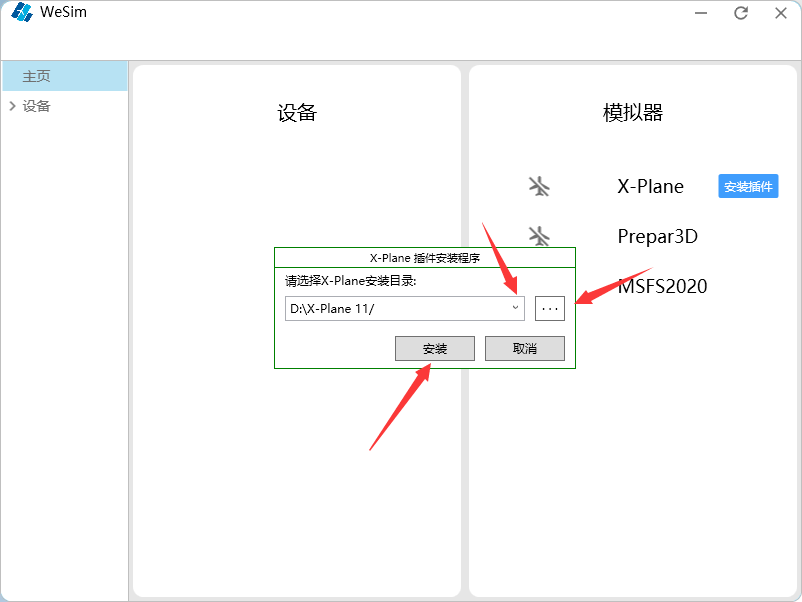
Select the destination folder and click Install
Manual installation
In the WeSim installation directory
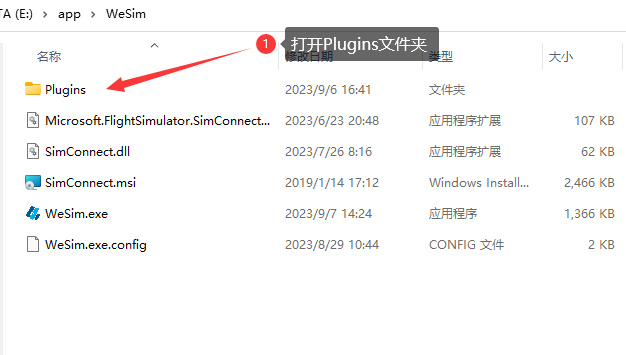
Copy the WeflyXP folder
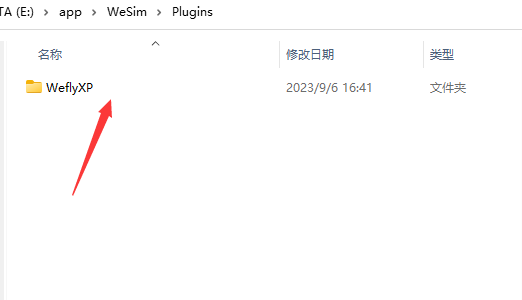
Paste it into the Resources/plugins folder in the X-Plane installation directory
Prepar3D
compatible model:
- PMDG 737 NGX
copy the configure code
[SDK]
EnableDataBroadcast=1
EnableCDUBroadcast.0=1
EnableCDUBroadcast.1=1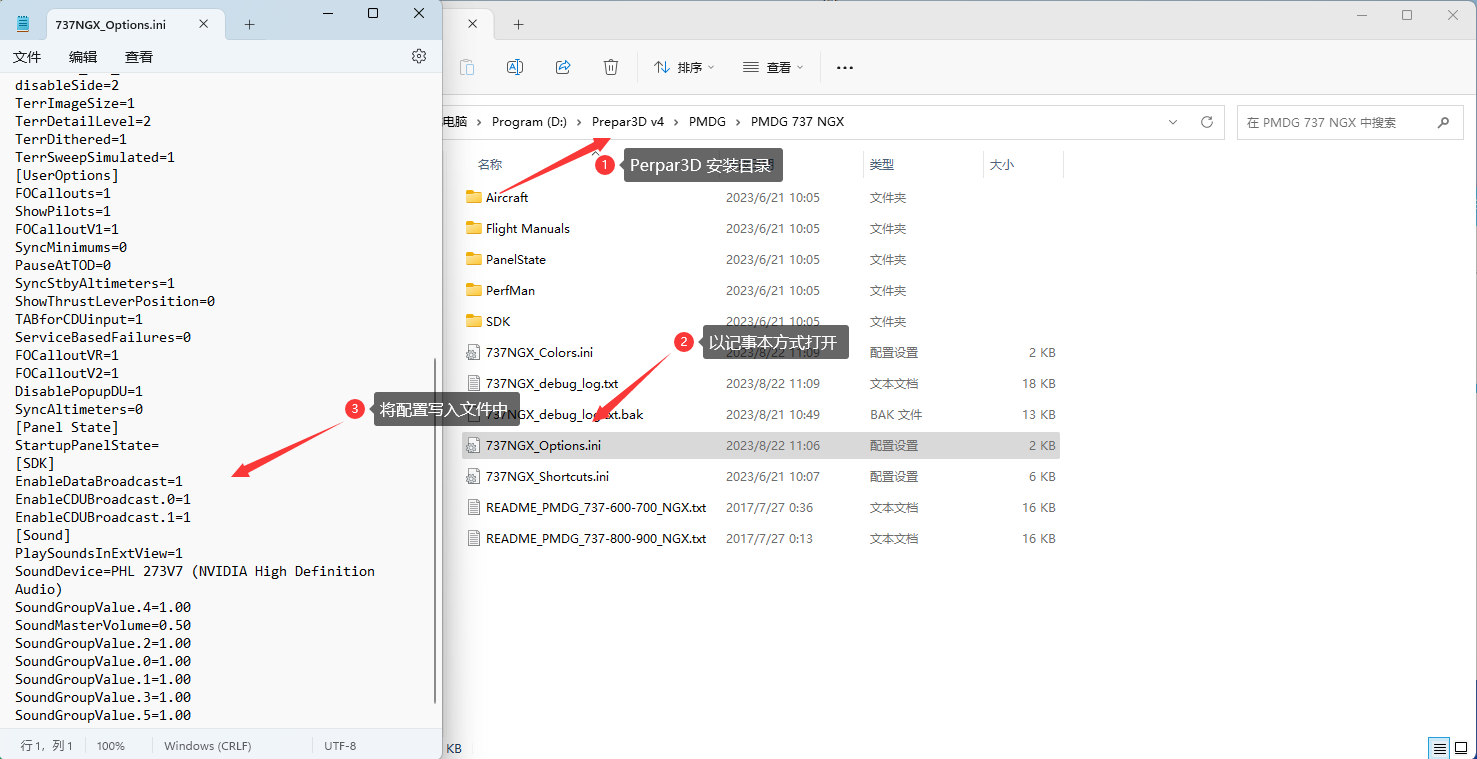
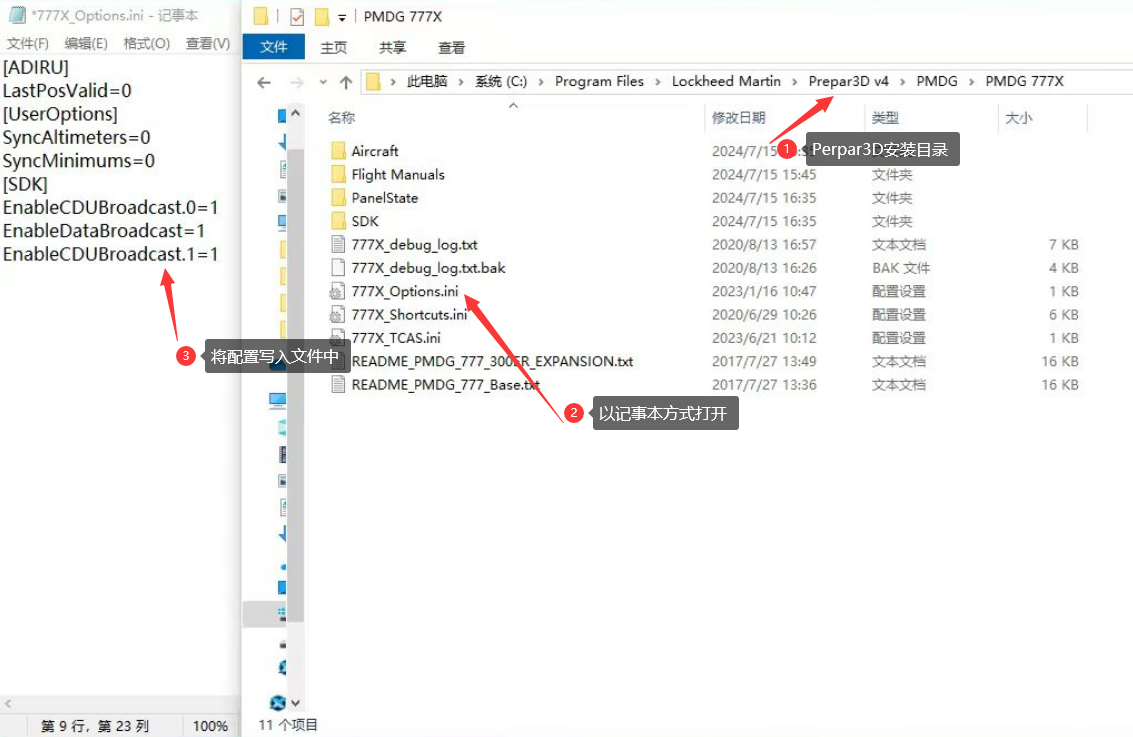
- PMDG 777 NGX
copy the configure code
[SDK]
EnableDataBroadcast=1
EnableCDUBroadcast.0=1
EnableCDUBroadcast.1=1